All six speakers showed an immediate decrease after simplified habit-reversal training.
Mancuso & Miltenberger, JABA 2016People around you hear every um. Now you can too.
The speech coach on your Mac. Speak, and your words stream through the notch. Stop, and the verdict lands: every um, every pause, exactly where it happened.
macOS 15+ · Apple Silicon · 3-day full trial, no account needed
See Loorq coach a real take
See Loorq work


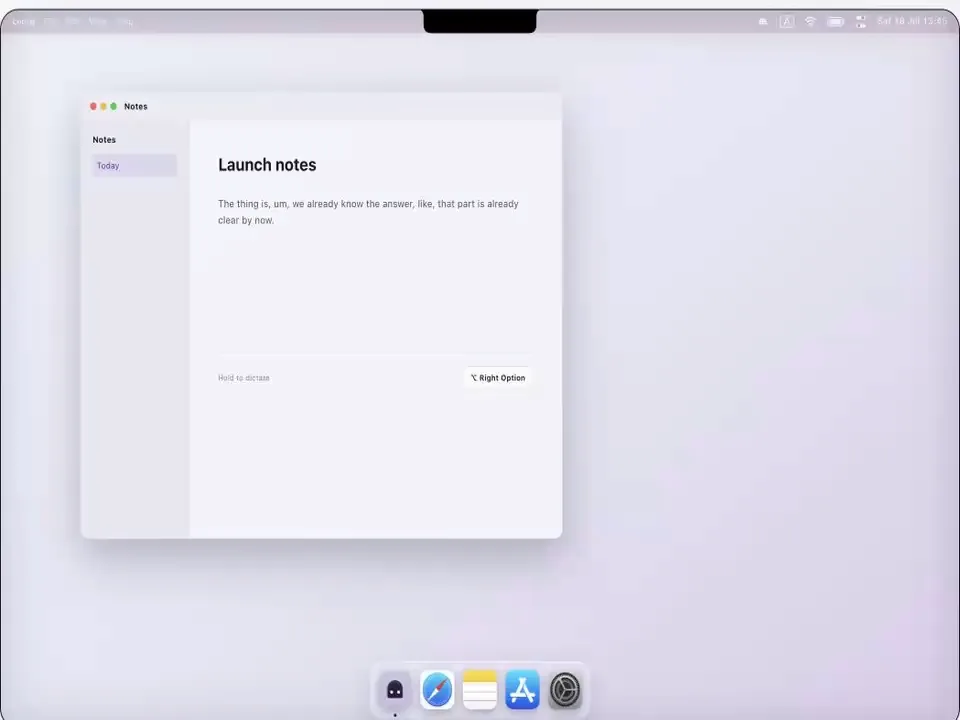
Launch notes
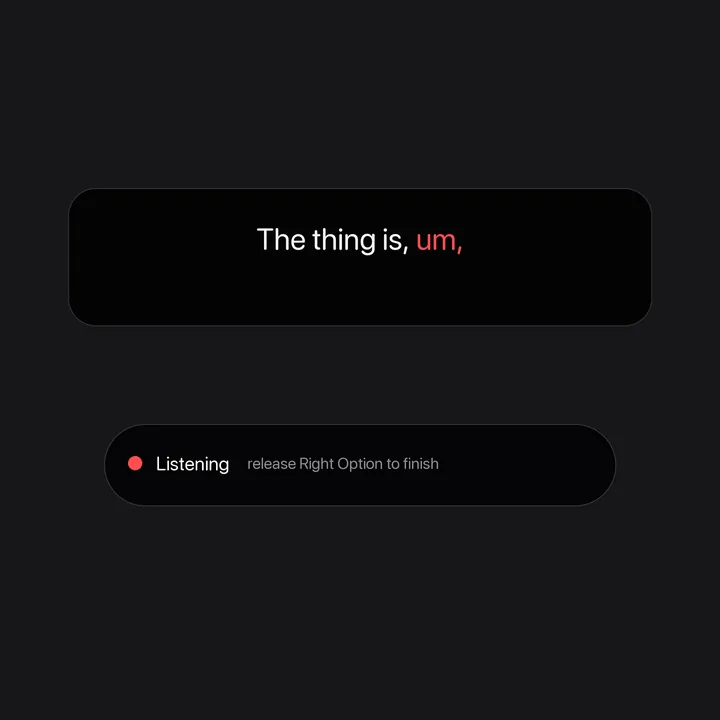
The thing is, um, we already know the answer, like, that part is already clear by now.
Hold to dictate
Weekly review Microphone active
Verdict placement
Listeningrelease Right Option to finish
Hey, this demo is interactive
Open Loorq or Notes to start.
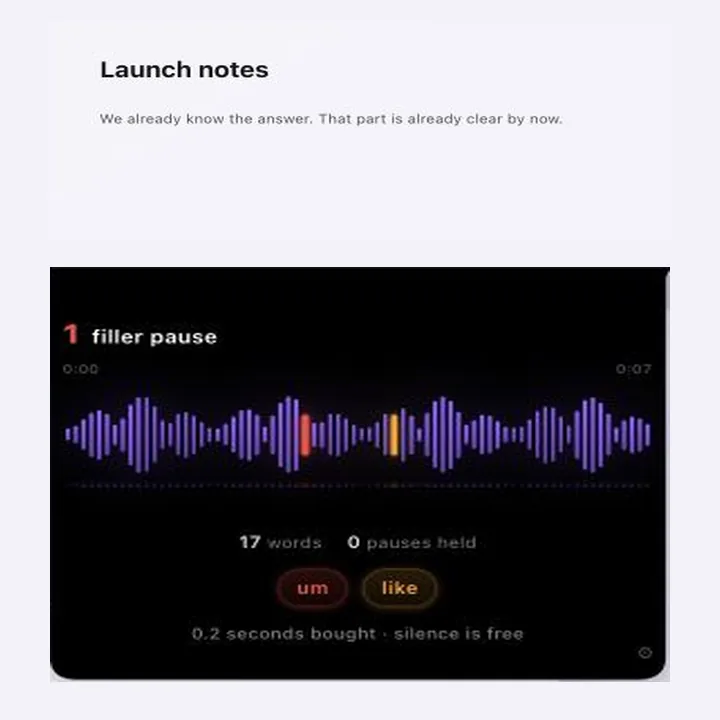
Thethingis,um,wealreadyknowtheanswer,like,thatpartisalreadyclearbynow.
1filler pause
0:000:07
17 words0 pauses held
0.2 seconds bought · silence is free
0fillers
0crutches
0pauses
0min
caught words land here as they slip out · speak with your cursor
coaching · your mic only, words never kept
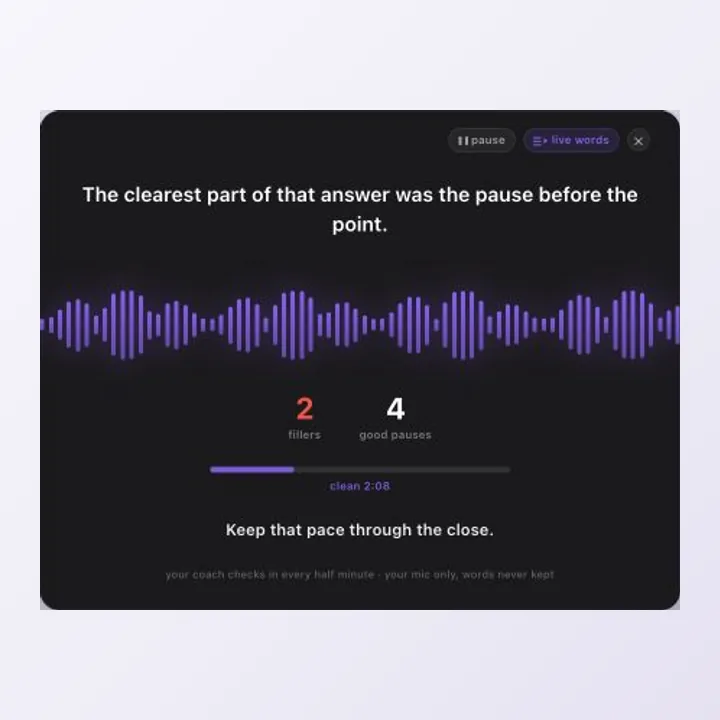
2fillers
1crutch
4pauses
12min
likeum
Keep that pace through the close.
Session over
2 fillers7 good pauses18:42 session
fillers down a third vs your last five meetings
saved to your cards and the dashboard
Listening through the notch.
A speech coach for your Mac
People hear every um. Now you can too.
See the habit as it happens. Replace it with silence. Watch the number fall.
AirDrop it, text yourself, or copy the link. We keep nothing.
A different job
Your dictation app removes your ums. Loorq, running right alongside it, helps you stop saying them.
Every dictation tool erases your fillers, so you never learn you say them. Loorq makes the habit visible and gives silence somewhere to land.
Try Loorq free on MacThe mechanism
Awareness changes the habit.
- Notice itSee the exact filler where it happened.
- Replace itTrade the reflexive filler for deliberate silence.
- Repeat itTrack a normalized rate over time.
Awareness training alone reduced targeted speech disfluencies for every participant studied.
Montes, Heinicke & Geierman, JABA 2019Six of nine participants held at least an 80% reduction weeks after training; none returned to their baseline rate.
Göhring & Bördlein, 2025These were small public-speaking studies of training protocols, not clinical trials of Loorq. Loorq applies their awareness-and-replacement principle to everyday speech.
Works alongside
Keep the app you already love.
Your dictation app can keep writing. Your meeting app can keep running. Loorq coaches beside them. Transcription is included, but optional.
See how Loorq compares Wispr Flow
 Superwhisper
 VoiceInk
Product names and marks belong to their owners. No affiliation or endorsement is implied.
1
Catch it.
The filler glows where it happened.
2
Clean it.
Useful text lands without hiding the lesson.
3
Coach it.
Meeting feedback rewards the pause.
4
Change it.
Your baseline becomes a long-term rate you can lower.
Fully local
Your voice stops at your Mac.
- MicrophoneYour side of the conversation.
- Loorq on-device engineRecognition, filler detection, pause detection, and rate.
- Cloud processingNone. No audio, no transcript, no text ever leaves your Mac.
Unplug the network and the core coaching experience keeps working.
Measurable progress
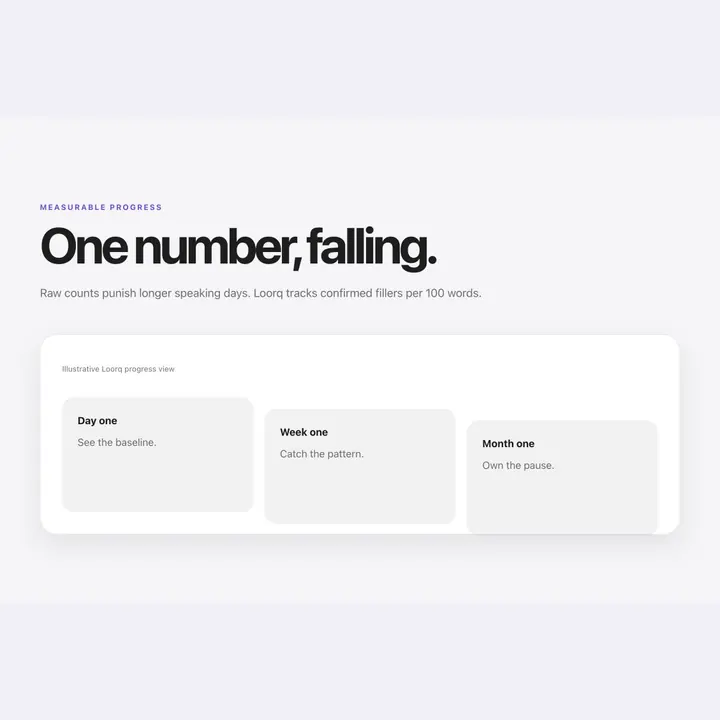
One number, falling.
Raw counts punish longer speaking days. Loorq tracks confirmed fillers per 100 words.
- 6.1per 100 wordsDay oneSee the baseline.
- 4.3per 100 wordsWeek oneCatch the pattern.
- 2.4per 100 wordsMonth oneOwn the pause.
Pricing
One price. Yours forever.
3-day full trial · no account, no card. Buy once, yours forever.
Launch price
$15 $8 once
- Everything Loorq does on your Mac, yours forever
- Every model we ship, every engine improvement
- One-time purchase · no subscription, ever
The 3-day trial is the guarantee: know it earns its price before you pay. Refund policy
$15 after launch · prices in USD · local tax may apply
AirDrop it, text yourself, or copy the link. We keep nothing.
Yours for life: the coach, the dictation, the models, the updates. Forever is easy when it lives on your machine.
FAQ